Introduction
Signing Up for Accurail
Learn how to create your Accurail account and get started with our Web and Mobile app.
Creating Your Accurail Account
To begin your journey with Accurail, you'll need to create an account. Here's how:
Visit our registration page at https://accurail.co.uk/register
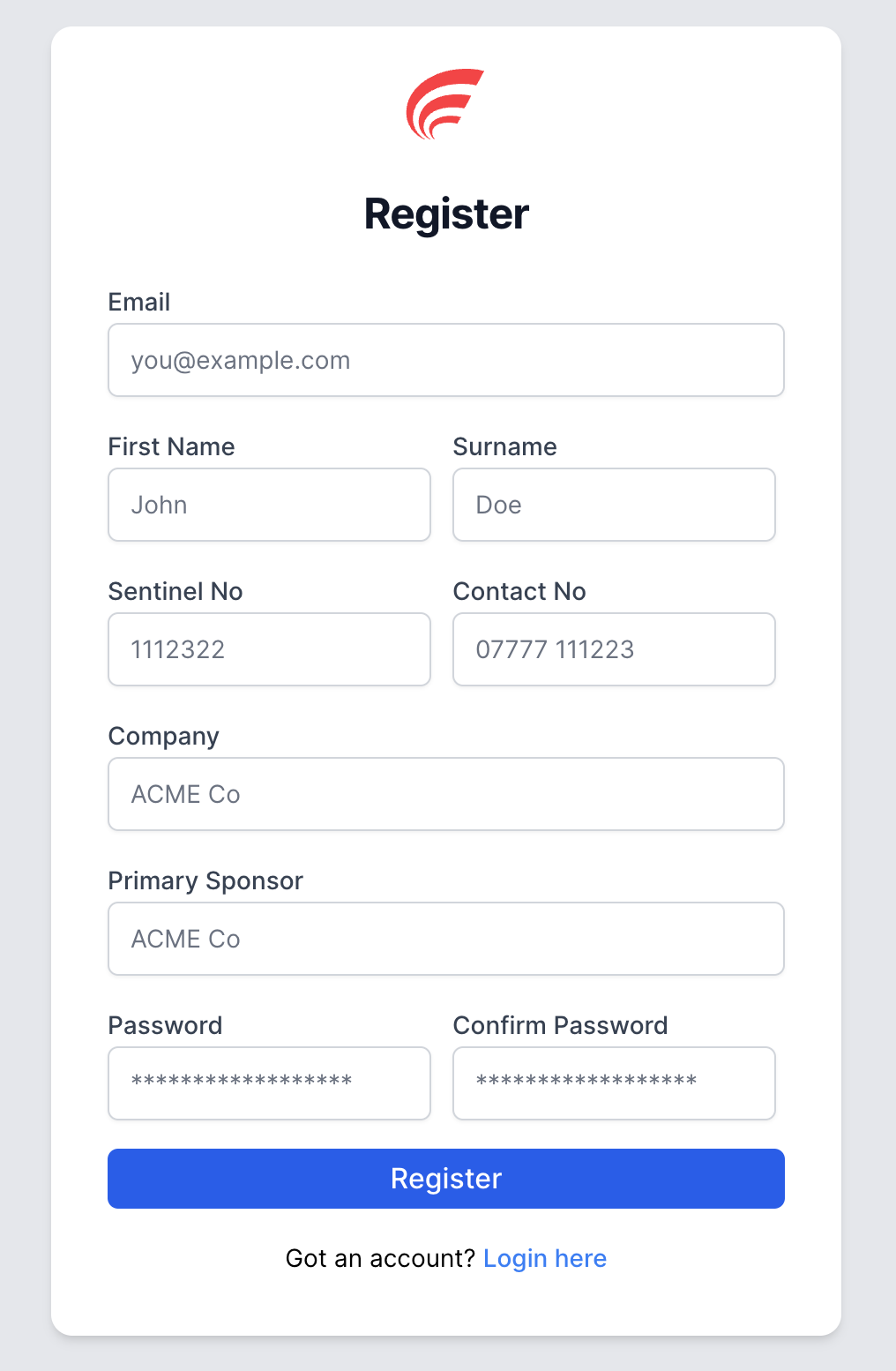 Accurail Registration Page
You'll be asked to provide some essential information:
- First Name and Surname
- Email address (make sure it's one you check regularly)
- Contact number
- Sentinel number
- Company name (please enter this exactly as instructed by your company provider, as it's case-sensitive)
- Primary sponsor
- Password (choose a strong, unique password to protect your account)
Ensure your company is typed exactly as instructed by your company provider, it's crucial to ensure you are signed up to the correct company.
Once you've filled in all the required fields, simply click the 'Register' button, and you're all set!

Accurail Registration Success
- Your system administrators will recieve an email to set your account as active. Once it has been set to active, you will recieve an email letting you know you're now able to login!
Tips for a Smooth Registration Process
- Double-check all information before submitting (especially email & company)
- Make sure to use your work email address where possible
- Have your Sentinel number ready before starting the registration process