Company Map
Company Map Permissions
The Company Map uses three permissions to control what each user can do. Administrators can configure these per user from the Users page.
Permission Overview
| Permission | Default | What It Allows |
|---|---|---|
| Create Submissions | On (all users) | Submit new assets and suggest edits to existing assets |
| Approve Team Submissions | Off | Review and approve or reject submissions from team members |
| Approve All Submissions | Off | Review and approve or reject submissions from any user in the company |
Create Submissions Is On by Default
All users have Create Submissions permission enabled automatically. You only need to take action if you want to restrict a specific user from submitting assets.
How Permissions Affect the UI
Without Create Submissions permission:
- The floating action button (FAB) is hidden
- Right-click submission options are not shown
- The "Create New" button in pack creation is not available
- The user can view the map and asset details but cannot submit or suggest edits
With Approve Team Submissions or Approve All Submissions permission:
- The Map entry in the sidebar becomes a dropdown with View Map and Manage Submissions
- The Manage Submissions link shows a badge with the count of pending items
Configuring Permissions (Admin Guide)
- Navigate to the Users page.
- Open the user you want to configure and click Edit.
- Scroll to the Map Permissions section under Access Points & Hazards.
- Select Create Submissions, Approve Team Submissions, or Approve All Submissions as appropriate.
- Save - changes take effect immediately.
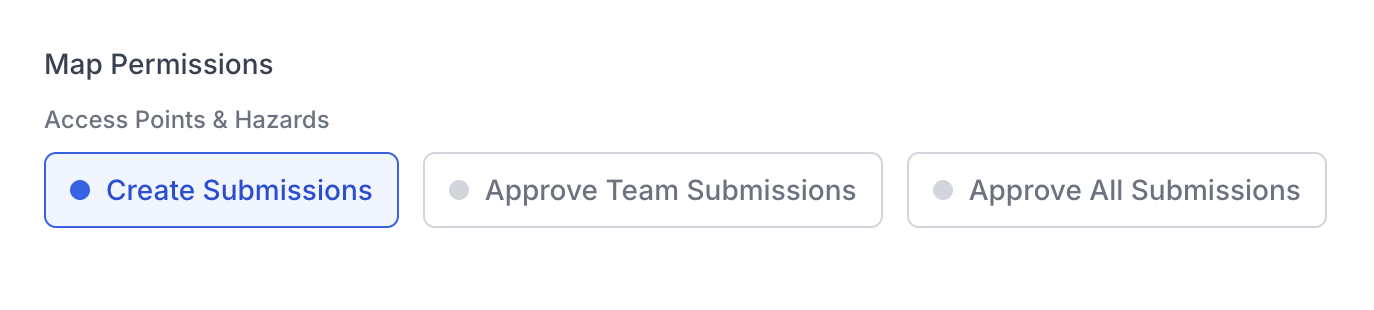
The Map Permissions section on the user edit page
Removing Create Submissions Access
Removing Create Submissions permission from a user does not affect submissions they have already made. Any pending submissions remain in the review queue and are unaffected.