Planners
Creating a Pack - RT9909
The RT9909 form is a crucial document for safe railway work. Accurail streamlines the process of completing this form by breaking it down into several key sections. Let's explore each of these sections in detail:
1. Lines At Site
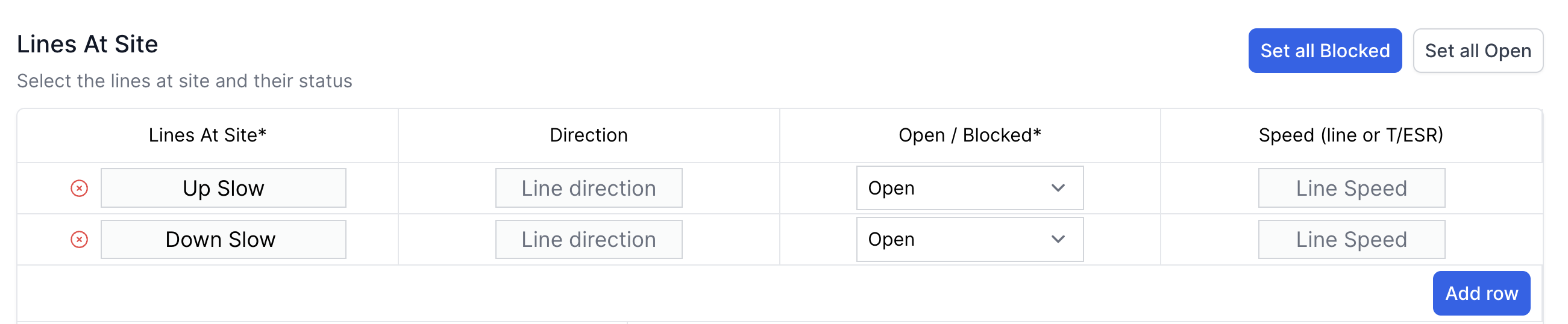
This section details the lines present at your work site pulled in from various data sources:
Line Name:
- A free text box with no character limit.
- Enter the official name of each line at your site.
Line Status:
- Options include: Open, Blocked, OOU (Out of Use), or Other.
- If selecting 'Other', you can specify custom statuses like:
- "Blocked 19:00 - 21:00"
- "Blocked Between Trains"
- "Blocked BEY DJ4#"
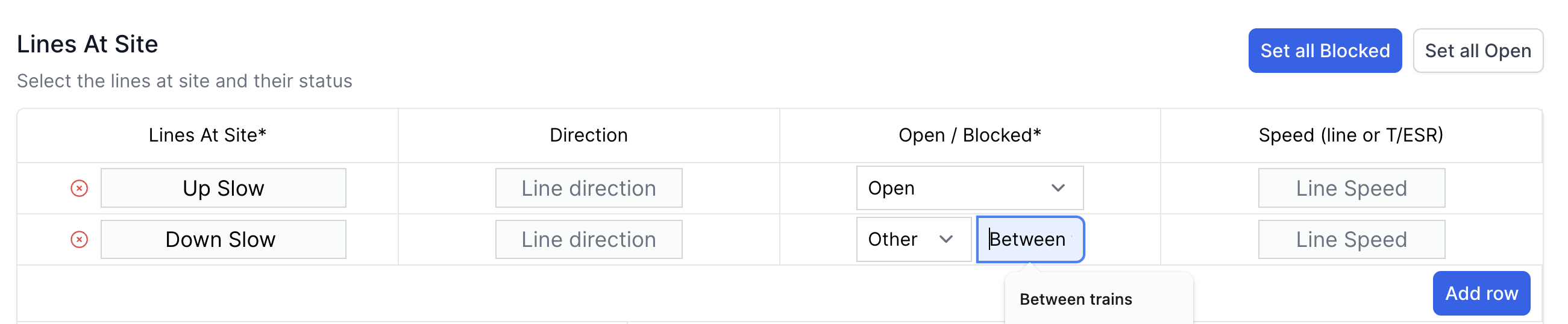
Remember: Line Name and Status are mandatory fields.
Direction and Speed:
- Optional fields for additional line information.
Adding multiple lines:
- Click the "Add Row" button to input information for additional lines.

If you have two ELR's meeting each other with similar line names e.g. two Up Mains, you could differentiate them by adding the ELR in brackets next to the line names.
2. Hazards Associated with Site & Access/Egress

This section helps identify and communicate potential dangers:
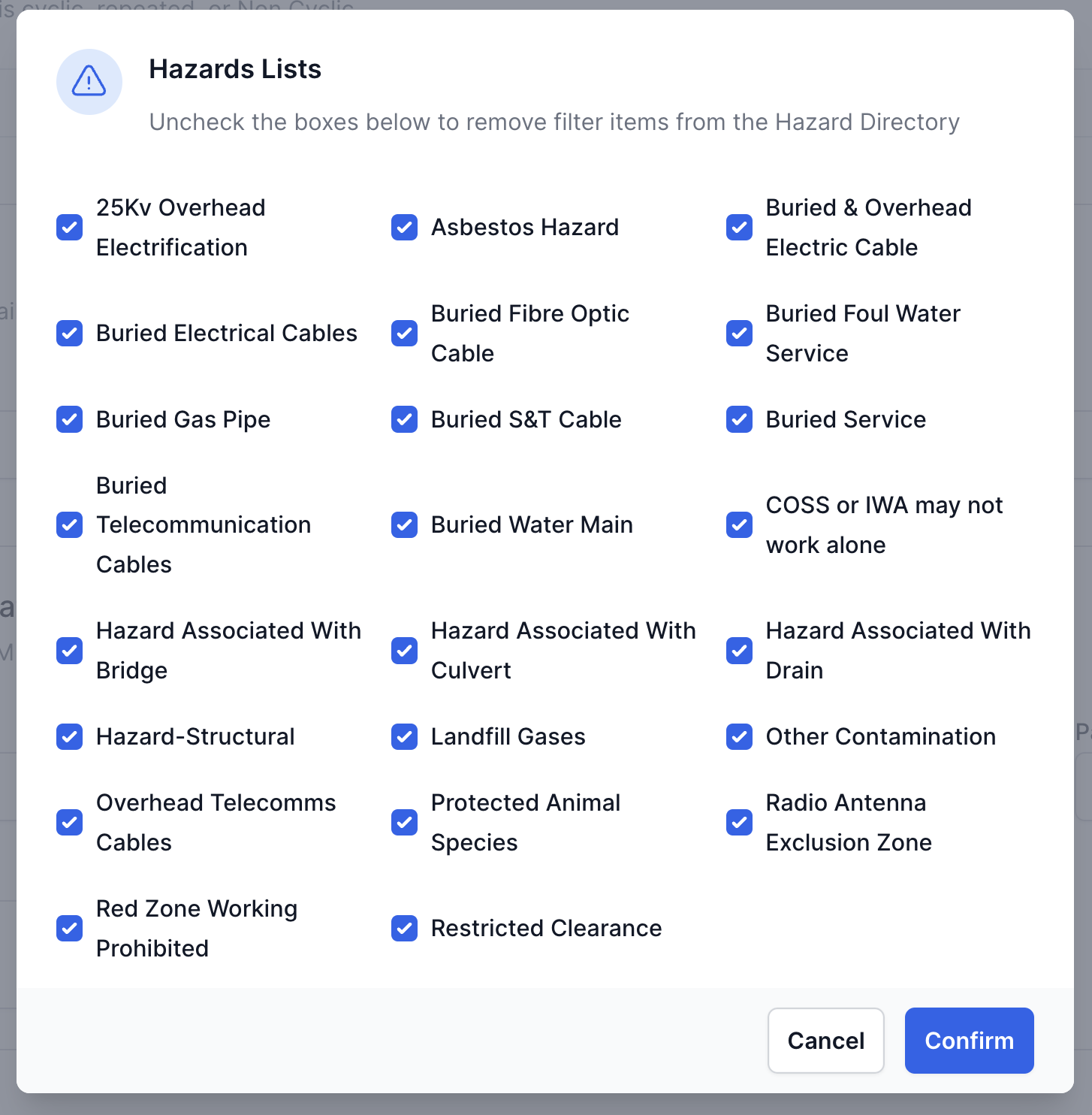
- Pre-populated with a unique list of hazard names from the hazard directory.
- Ensures hazards are site-specific and relevant.
Using the Filter Hazards button:
- Click "Filter Hazards" to open the modal.
- Remove entries that aren't applicable to your site.
- This tailoring makes the SWP more specific and relevant.
Example: For earthworks examinations, you might remove hazards related to buried services.
3. Limits of Working Area

This free text box defines the boundaries of your work:
- By default, it displays each ELR and mileage entered in the location information.
- Best practice: Keep the description site-specific for clarity and safety.
4. AC/DC Status
This field indicates the electrification status of your work area:
- It's a free text box, pre-filled based on the presence of ECO & 25kV or Third Rail in the Hazards section.
- Will typically state either "Live" or "No AC/DCCR".
- Always verify this information with on-site checks and official documentation.
5. Safe System of Work Hierarchy Form

This crucial section determines the safety measures for your work:
Hierarchy Selection:
- You must select one option in both the 'Planned' columns.
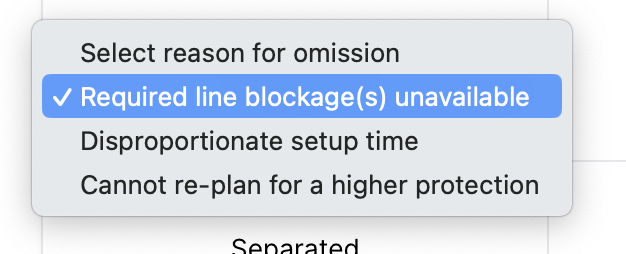
- If not selecting a higher protection level, you must provide a reason from the dropdown:
- Required line blockages unavailable
- Disproportionate setup time
- Cannot re-plan for higher protection
Protection Types:
a) Safeguarded:
- Requires no further justifcation
b) Fenced:
- Enter the type of fence and distance from the line.
c) Separated:
- Select the separation method and distance from the line.
- If choosing 'Site Warden', specify the warning method.

d) Warning Systems / Lookout:
- Specify how the warning will be given