Person In Charge (PICs)
RT9909 (On Site)
After accepting your Safe Work Pack on site, you'll need to complete the RT9909 Record of Arrangements Form. The RT9909 contains pre-populated information from the planner along with sections that require your input on site.
Important: You cannot edit the RT9909 until you have accepted the Safe Work Pack on site. The form will only become editable after completing the acceptance process.
Accessing the RT9909 Form
Once you've accepted your SWP, you'll be automatically prompted to complete the RT9909. You can also access it by:
- Opening your accepted SWP
- Navigating to the RT9909 section
Pre-Populated Information
The RT9909 form contains the following information that has been completed by the planner:
- Name of PIC/COSS
- Lines at site
- Nature of work
- Hazards at site/egress
- Signal box contact details
- Site limits
- AC/DC status
- Base SSOW Hierarchy information
Sections You Need to Complete
1. Work Timing Details
Enter the actual dates and times for your work activities:
- Start date and time of work
- Expected completion date and time
- Any break periods or shift changes
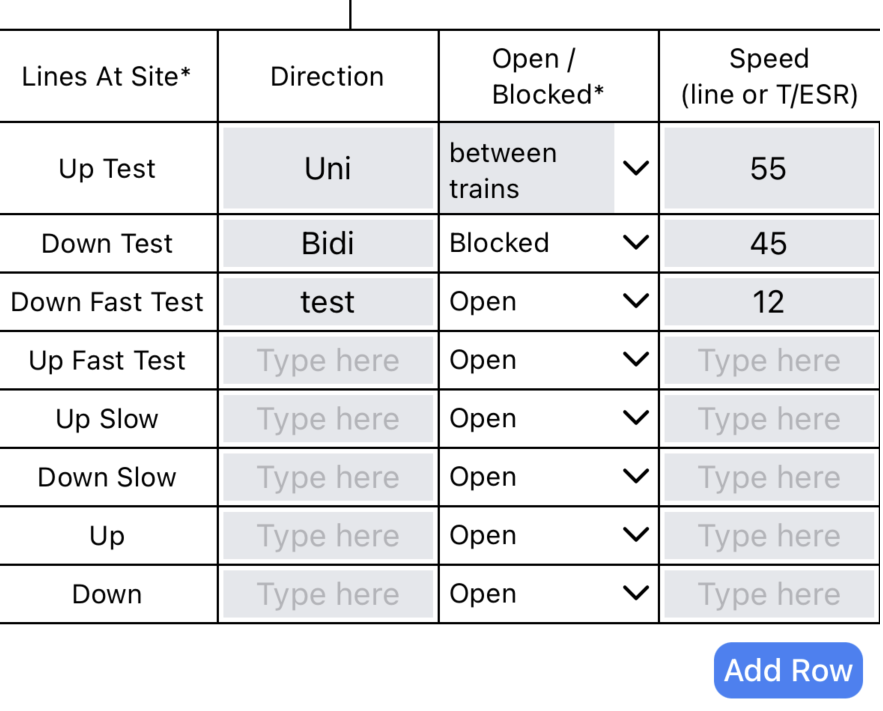
2. Line Speed and Direction
If not pre-populated by the planner, you'll need to enter:
- Line speed for each relevant line
- Direction of travel for each line
- Any temporary speed restrictions
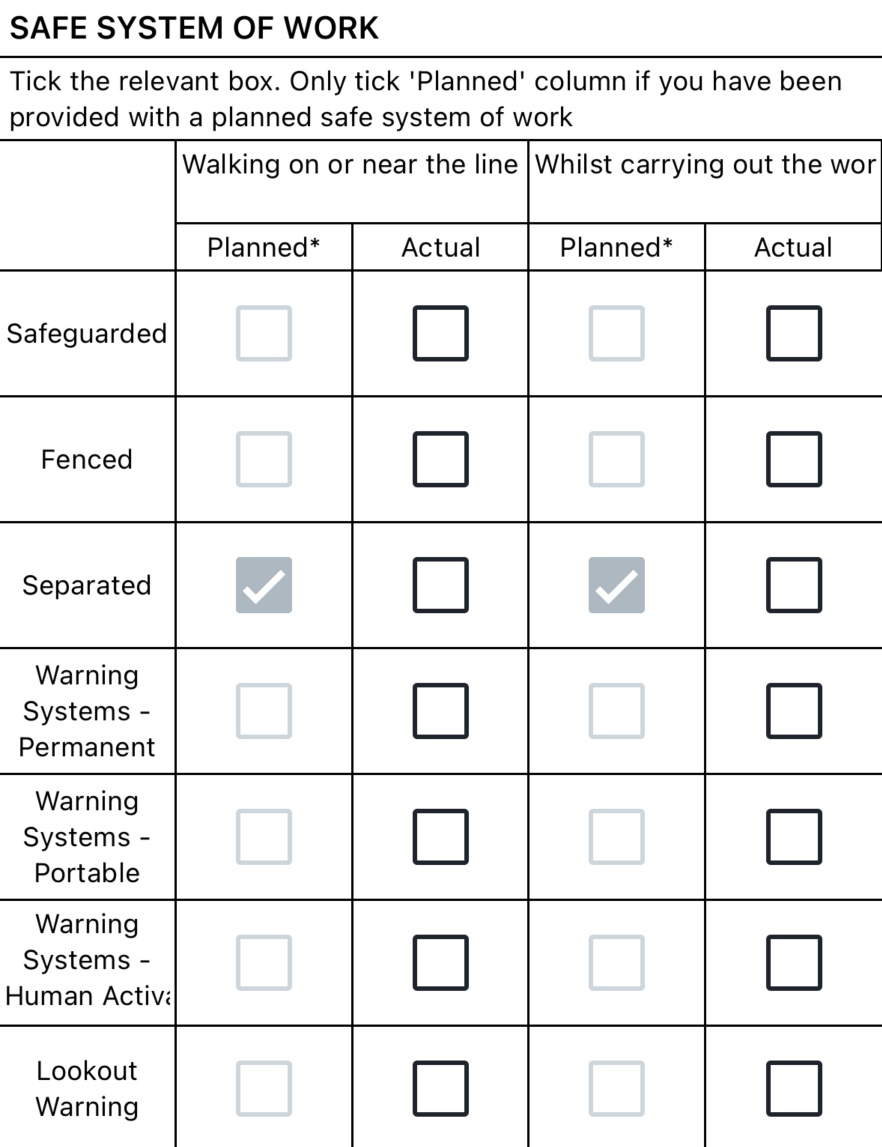
3. SSOW Hierarchies
Complete the actual SSOW (Safe System of Work) hierarchies for:
This section is critical for safety. Ensure you select the appropriate SSOW hierarchy based on actual site conditions.
- Walking SSOW Hierarchy: Select the appropriate hierarchy for movement around the work site
- Working SSOW Hierarchy: Select the appropriate hierarchy for the actual work activities
4. Site Wardens/Lookouts Details
If applicable, complete details for:
- Site Warden information and responsibilities
- Lookout positions and personnel
- Communication methods and protocols
5. Workgroup Briefing
Sign your workgroup members onto the RT9909 briefing:
- Add each workgroup member's name
- Record their sentinel number
- Have each person sign to confirm they understand the site information
- Document their specific roles and responsibilities
6. Final PIC/COSS Signature
Complete the form with your final signature confirming:
- All information is accurate and complete
- The site is ready for work to commence
- All safety requirements have been met

Completing the Form
- Review all pre-populated information for accuracy
- Complete each required section systematically
- Ensure all workgroup members are properly briefed and signed on
- Add your final signature
- Hit the Save RT9909 button
After Submission
Once submitted, the RT9909 information will be:
- Added to your SWP validation record
- Available for review by the planning team
- Used to inform future planning for similar work
- Included in the completed work documentation
The RT9909 must be completed before you can proceed with your work activities. This ensures all safety documentation is current and accurate.
Common Issues
Can't edit or fill in the RT9909: Ensure you have accepted the Safe Work Pack on site first. The RT9909 form is only editable after acceptance. If you still can't edit it, look for the "Edit RT9909" button and tap it to enable editing.

RT9909 won't load, open, or keeps crashing: If you're experiencing technical issues with the RT9909 form, contact support@accurail.co.uk for assistance.
Form won't submit: Ensure all mandatory fields are completed and you have a stable internet connection.
Site conditions differ significantly from plan: Document thoroughly in the comments section and consider contacting the planning team before proceeding.